
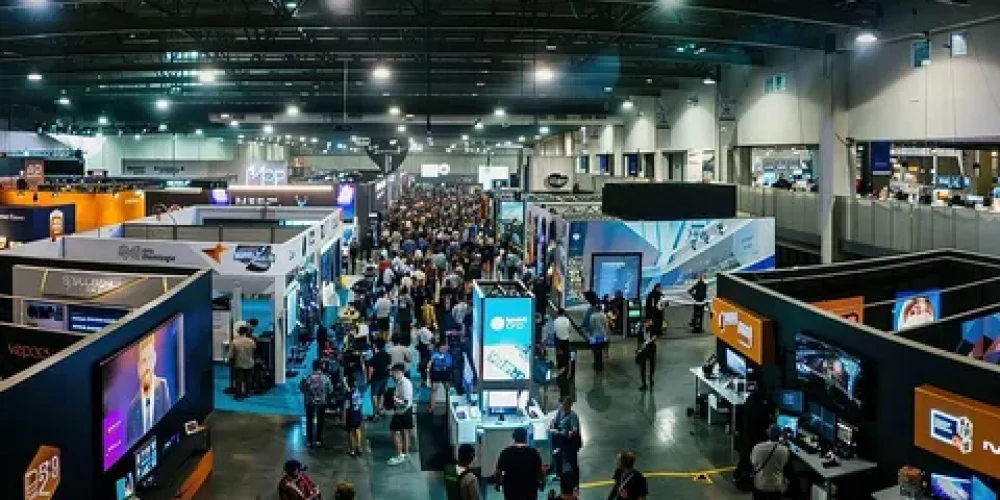
Show-day problems usually start before the exhibition opens. A stand can look complete while critical details such as power, graphics, product samples, internet access, staff coverage, storage, meeting areas, safety checks or venue approvals remain unresolved. The most reliable approach is to treat the final preparation as a documented checklist covering venue requirements, stand construction, technology, content, staffing and visitor operations.
Live Events approaches exhibition preparation as a sequence of checks rather than a final visual inspection. This matters in Dubai, where large venues handle complex build-up schedules, technical services and high visitor volumes. Dubai World Trade Centre hosted 401 events in 2025, a 6% increase year on year, showing the operational scale surrounding major exhibitions.
Start With The Critical Checks
Complete the items that can stop the stand from operating before checking cosmetic details. Confirm the approved floor plan, stand dimensions, access arrangements, electrical requirements, internet connection, lighting, displays, furniture, graphics and safety requirements.
DWTC advises exhibitors to work with their stand contractor early when planning utilities because requirements can cover power sockets, distribution boards, ceiling cables, water, waste and compressed air.
| Priority | Check before show day | Person responsible | Final status |
|---|---|---|---|
| Venue | Exhibitor manual and venue rules reviewed | Project lead | Confirmed |
| Stand | Final layout matches approved design | Stand contractor | Confirmed |
| Structure | Walls, counters, platforms and features inspected | Stand contractor | Confirmed |
| Electrical | Power points and distribution tested | Technical team | Tested |
| Technology | Screens, laptops and interactive equipment tested | AV team | Tested |
| Graphics | All branding installed and positioned correctly | Production team | Approved |
| Furniture | Tables, chairs and storage positioned | Site team | Complete |
| Internet | Required connection tested | Technical team | Tested |
| Staff | Team schedule and arrival times confirmed | Event lead | Confirmed |
| Materials | Brochures, samples and giveaways delivered | Marketing team | Complete |
Bonus tip: Create one master checklist with a named owner beside every item. “Someone is handling it” is not a completion status. Mark each task only when the responsible person has verified it physically or digitally.
Confirm The Stand Before You Check The Details
Walk through the completed stand from the visitor’s perspective. Check the entrance, reception point, product displays, meeting areas, storage and staff positions.
Do not rely only on the approved 3D visual. Compare the physical installation against the latest technical drawings and approved artwork.
| Stand area | What to inspect | Why it matters |
|---|---|---|
| Entrance | Clear access and visible branding | Visitors should understand where to enter |
| Reception | Counter position and required materials | Creates an organised first contact point |
| Product area | Product placement and display stability | Prevents last-minute repositioning |
| Meeting area | Seating, privacy and table clearance | Supports uninterrupted conversations |
| Storage | Stock, bags and equipment organised | Keeps visitor-facing areas clear |
| Branding | Logos, graphics and directional signs | Prevents incorrect or outdated messaging |
| Lighting | Feature and general lighting | Ensures products and graphics remain visible |
Test Technology Before Visitors Arrive
Technology should receive a separate technical inspection. A screen displaying a logo does not prove that the complete system is ready.
Test the source device, cables, adapters, display settings, audio, internet-dependent applications and backup content. For interactive stands, test the complete visitor journey instead of checking each device independently.
DWTC provides dedicated connectivity options alongside public Wi-Fi, with wired internet also available throughout the venue.
| Technology | Pre-show check |
|---|---|
| LED screen | Input source, resolution, brightness and playback |
| Laptop | Charger, presentation files, updates and backup |
| Touchscreen | Touch response, software and network connection |
| Audio | Speakers, microphone, playback and volume |
| Lighting control | Switching, dimming and programmed effects |
| Internet | Connection, login credentials and required bandwidth |
| Charging | Power access for staff devices |
| Backup media | Offline copy of essential presentations and videos |
Bonus tip: Keep essential presentations and videos on an offline device. Exhibition internet should support the experience, not become the single point of failure.
Complete Venue And Safety Requirements
Venue requirements should be closed before the opening window, not during visitor arrival. Check access permissions, contractor passes, technical approvals, electrical connections, rigging arrangements and safety documentation according to the event manual.
Rigging deserves particular attention when a stand uses hanging signs, lighting grids or suspended structures. At DWTC, top and primary rigging is handled by its designated provider using approved rigging hardware and safety practices.
| Requirement | What to verify |
|---|---|
| Contractor access | Passes and approved access times |
| Electrical supply | Correct connection and distribution |
| Rigging | Approval, location and installation status |
| Fire safety | Clear exits and compliant materials |
| Emergency access | Pathways remain unobstructed |
| Waste | Removal arrangements confirmed |
| Cleaning | Stand cleaning requirements communicated |
| Venue submissions | Required documents approved |
Prepare Staff For The Actual Exhibition
A finished stand still needs an operating plan. Staff should know who welcomes visitors, who handles technical questions, who manages meetings, who monitors stock and who responds when equipment fails.
Create a simple duty schedule covering opening, breaks, peak periods and closing. Avoid leaving reception or key product areas unattended during busy periods.
Dubai’s exhibition environment can involve substantial visitor traffic. DWTC reported 2.65 million visitors across its large-scale events in 2024, including 100 large-scale exhibitions and events.
Bonus tip: Hold a short stand briefing before opening. Explain the visitor journey, meeting procedure, product talking points, storage location, emergency contacts and technology backup process.
Pack The Items That People Forget
Last-minute omissions are often small items rather than major stand components. Create a physical packing list and check every item before leaving the office or storage facility.
- Staff badges and event credentials
- Business cards and approved printed materials
- Product samples and demonstration units
- Laptop chargers and adapters
- Extension equipment where permitted
- Spare cables and connectors
- Cleaning materials
- Stationery
- First-aid supplies where required
- Backup presentation files
- Contact details for the stand contractor and venue team
Keep valuable equipment documented and assigned to a responsible team member.
Compare What Needs Checking At Each Stage
Not every task belongs on show morning. Moving checks forward reduces pressure and leaves the final hours for physical verification.
| Preparation stage | Main focus | Examples |
|---|---|---|
| Several weeks before | Planning | Design approval, artwork, utilities, staffing |
| Before production | Technical | Drawings, dimensions, power and technology |
| During installation | Physical build | Structure, graphics, lighting and furniture |
| Day before opening | Testing | AV, internet, displays and visitor flow |
| Before opening | Final inspection | Staff, stock, cleanliness and safety |
| During exhibition | Operations | Equipment, supplies, meetings and visitor flow |
| After closing | Handover | Equipment, documentation and dismantling |
Live Events Exhibition Support
Live Events provides services that connect directly with the preparation and delivery stages:
- Creative Exhibition Stand Design: Establishes the visitor flow, functional areas, branding positions and technical requirements before production.
- Exhibition Stand Fabrication: Produces the physical structure, graphics and display elements from the approved specification.
- Exhibition Stand Installation: Handles on-site assembly, positioning and final stand preparation before opening.
- Event Technologies: Supports the technical side of exhibition environments, including display and AV requirements.
Questions To Answer Before Show Day
When should the final stand inspection happen?
Complete the main inspection after installation and before the public opening. Leave enough time to correct defects rather than discovering them when visitors arrive.
Who should own the master checklist?
One event lead should control the master version, while individual team members own specific tasks. This prevents duplicated work and unclear responsibility.
What should happen if a screen stops working?
Switch to the prepared offline backup content or a non-digital presentation method while the technical team troubleshoots the equipment.
Should staff arrive before the exhibition opens?
Yes. Staff need enough time to enter the venue, store personal belongings, check the stand and attend the pre-opening briefing before visitors arrive.
Keep The Stand Ready Throughout The Exhibition
How should stock be managed?
Set minimum stock levels for brochures, samples and consumables. Refill the visitor-facing area from storage before supplies become visibly low.
How often should technology be checked?
Check critical displays and interactive systems at the beginning of each day and after major breaks. Continuous monitoring is especially useful for equipment running for long periods.
What should happen after each exhibition day?
Record technical faults, missing materials, visitor questions and operational issues while the details remain fresh. These notes can improve the next day’s setup.
How should the team handle damaged graphics?
Photograph the affected area, assess whether a replacement is available and notify the responsible production contact immediately. Avoid improvised repairs that make the damage more visible.
What information should be recorded for the next event?
Document stand performance, visitor flow, technology issues, stock consumption, meeting-space usage and installation problems. Use these observations when preparing the next exhibition brief.
Finish With A Verified Checklist
A successful show-day setup depends on more than completing the stand build. Confirm the venue requirements, inspect the physical installation, test every critical technology component, prepare staff, organize materials and complete a final safety walkthrough.
Live Events can be contacted at contact@liveevents.ae or +971 52 840 9669 for exhibition project coordination. Prepare the event name, venue, stand size, opening date, design requirements and technical needs before discussing the project.
Use the checklist as a working document rather than a one-time reminder. The final goal is simple: every important item has an owner, every technical element has been tested, and the stand is ready before visitors enter.